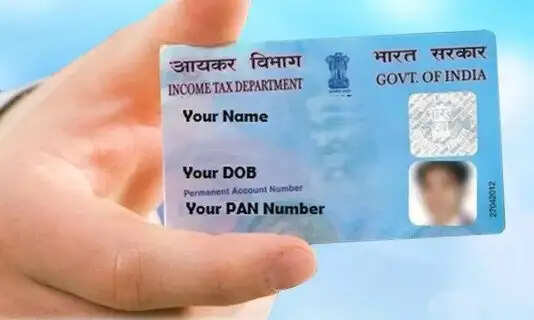
Losing your physical tax identification card is no longer a bureaucratic nightmare. The Income Tax Department's seamless online portal allows you to access your digital wallet-ready copy instantly.The Digital Shield: Why Your e-PAN MattersIn the modern Indian financial landscape, your Permanent Account Number (PAN) is one of the most critical documents you can own. This unique 10-digit alphanumeric identifier, officially issued by the Income Tax Department, acts as your financial passport. It enables the government to track your tax compliance, monitor significant financial transactions, and is an absolute prerequisite when you file your Income Tax Return (ITR) each year.To make life easier for taxpayers, the government has digitized the entire infrastructure. While waiting for a physical plastic card to arrive via post remains an option, downloading an authentic, legally valid e-PAN online has emerged as the ultimate convenience for tech-savvy citizens.What Exactly is an e-PAN Card?An e-PAN is simply the electronic, digitally signed version of your physical PAN card. Downloaded directly from the official Protean Income Tax Information Portal, it holds the exact same legal validity as its plastic counterpart under Indian law. Whether you choose a digital-only version during a fresh application or need to pull up an emergency copy because your original card was lost or damaged, the e-PAN ensures you never have to carry physical plastic in your wallet all the time.Eligibility and Mandatory ChecklistThe Income Tax Department allows anyone who has already been allotted a valid PAN or has a pending, successfully processed application to download the document. Before you log on to initiate the process, ensure you have the following details ready:Your 10-digit PAN NumberYour 12-digit Aadhaar Number (linked to your mobile number for OTP authentication)GSTN Card details (strictly required for corporate or business entities, if applicable)Step-by-Step Guide: How to Download Your e-PAN Online1.Visit the Official Portal:Step 1.Navigate directly to the official Protean Income Tax Information Portal on a secure browser.2.Input Key Identifiers:Step 2.Carefully enter your PAN and Aadhaar details into the designated fields. If you are applying on behalf of a business entity, input the GSTN number as well.3.Verify Captcha & Disclaimers:Step 3.Read the digital disclaimer checkbox thoroughly, solve the visual captcha security code, and click submit to pull up your profile.4.Review Personal Details:Step 4.Double-check the masked personal details visible on your screen to ensure the data matches your identity.5.Generate and Verify OTP:Step 5.Click on 'Generate OTP'. Within a few seconds, a secure passcode will be sent to your registered mobile number or email. Enter this code and tap 'Verify OTP'.6.Complete the Nominal Payment:Step 6.Select your preferred secure payment method (Debit Card, Credit Card, or Internet Banking). Complete the nominal portal convenience fee processing. Once the transaction is successful, your official e-PAN PDF will be available for instant download.Frequently Asked Questions (FAQs)Q. How many times can a taxpayer download their e-PAN?A: There is no official statutory limit imposed on the number of times you can retrieve your digital card. If your file is corrupted or misplaced, you can log back in and download it again by processing the minor portal charge.Q. What is the official fee structure for an e-PAN vs a physical copy?A: While a standard reprint and physical delivery of a plastic card directly to your residential address costs a total of ₹50, downloading the instant digital e-PAN requires a much lower nominal processing fee of just ₹8.26.
Around the web